
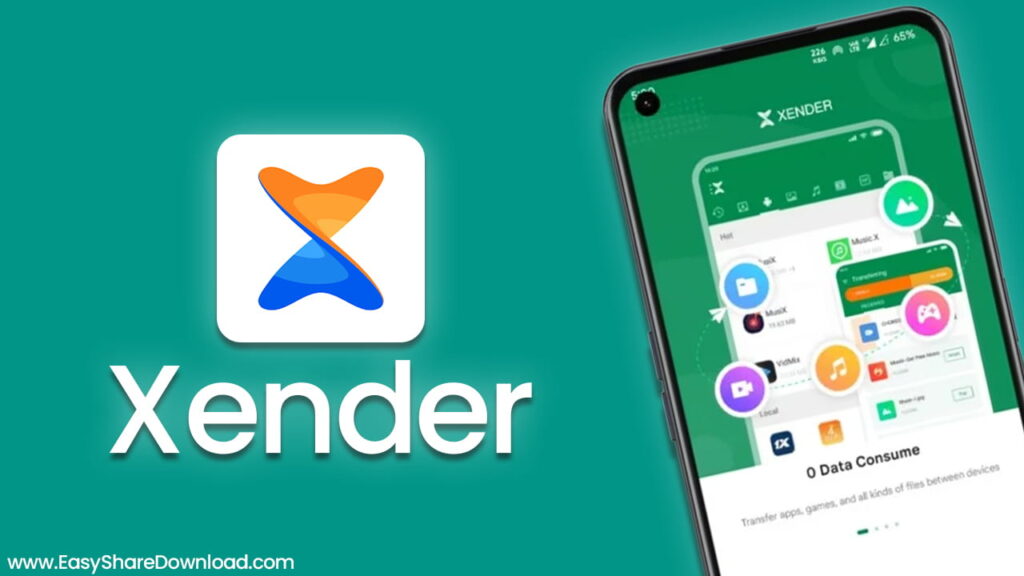
Xender is an app that helps move files from one device to another. It doesn’t use mobile data or cables. This means users can send big files without worrying about the internet or storage limits. Instead of slow Bluetooth, Xender uses Wi-Fi Direct. That makes it much faster. People can send files like photos, videos, music, or apps in just seconds.
Back when Bluetooth was the main way to share things, a small file could take forever. Now with Xender, it takes a few seconds. Users no longer wait minutes to send just one song. With speeds reaching up to 40MB per second, it feels instant. That’s why so many people now choose Xender over other sharing methods.
How Xender Transfers Files Without Using the Internet
It’s true that many apps use mobile data to share files. That can get expensive. Also, not everyone always has a strong connection. Xender solves this problem by using a method called Wi-Fi Direct. This means it builds a small private network between two devices.
So when someone sends a file using Xender, it doesn’t go through the internet. It moves straight from one device to another. This works well anywhere—even on a plane or in the subway. The app works even if there’s no Wi-Fi signal or SIM card.
Users love this because it saves money. Also, it’s safer since files don’t go to the cloud or third-party servers. Everything stays on the phones.
Xender App Features That Make Life Easier
Super-Fast Transfers
Sharing a 1GB movie in under 30 seconds is easy with Xender. That’s the normal speed. No more waiting long minutes. Even large folders move fast.
Works Across All Devices
Xender is not just for Android. It also works with iPhones, Windows computers, and MacBooks. Users can share files between different platforms. So, someone with an iPhone can send videos to an Android user without trouble.
No File Size Limits
Some apps stop users from sending big files. But with Xender, users can send any file size. If it’s on the phone, it can be shared.
Preview Files Inside the App
Once someone receives a video or song, they can watch or play it right away inside Xender. No need to open other apps.
Step-by-Step Guide: How to Connect Devices
Phone to Phone Connection
- Open Xender on both devices.
- On one device, tap “Send.” A QR code will show up.
- On the second device, tap “Receive” and scan the QR code.
- Pick the files and start sending them.
It’s quick and doesn’t need any cables.
Phone to Computer Connection
Xender can also connect a phone to a laptop or desktop. Here’s how to do it:
- Open the Xender app on the phone.
- Tap “Connect PC.”
- Open a browser on the computer.
- Type in the web address shown on the phone.
Now, users can drag and drop files between the phone and PC. It’s that easy. No software needs to be installed.
Extra Tools Inside Xender That Help Even More
Phone Replication
When someone buys a new phone, moving all the old data can take hours. Xender makes it simple with the Phone Replication tool. It copies contacts, photos, apps, and texts in one click. No need for cloud accounts or backup apps. It’s safe and private.
MP3 Converter
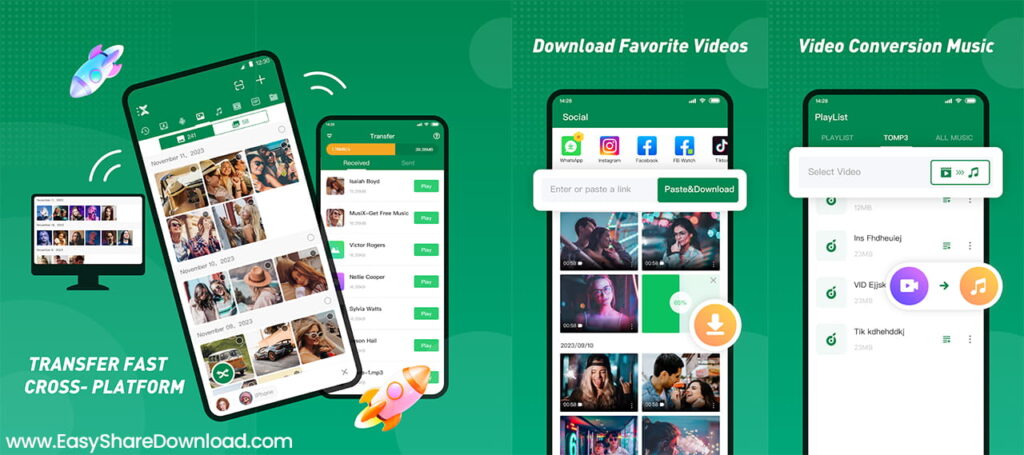
This tool is fun. It lets users change video files into music files. For example, if someone likes the song in a video, they can turn it into an MP3. Then they can use it as a ringtone or music file.
Social Media Downloader
If a user sees a funny video or cool picture on WhatsApp or Facebook, they can save it with Xender. The app lets users download status videos or shared posts. This way, they can watch them later, even without the internet.
Xender Keeps Your Files Safe and Private
When people share things online, they often worry about who else might see it. With Xender, that’s not a problem. The app uses Peer-to-Peer sharing. This means the files don’t go through a central server.
The connection is only between the two devices. So pictures, documents, or anything private stay private. This is great for people who care about keeping their stuff safe. It’s also useful for business people who send work files.
Why Xender Is Still the Best Way to Share Files
Many apps try to copy what Xender does. But they still depend on internet speed or force people to log in. This keeps it simple. There’s no signup, no mobile data used, and no file limits. It’s fast, free, and easy to use.
Students love it for sharing notes. Friends use it to send songs and videos. People with new phones use it to copy all their stuff. And everyone enjoys saving their mobile data.
Also, Xender keeps getting better with updates. The tools are useful, not just extra things people don’t need. Everything inside the app has a clear purpose.
Final Thoughts on Using Xender Every Day
Xender makes file sharing easy, fast, and safe. Whether you’re sending work documents, fun videos, or switching phones, it handles it all. There’s no need to wait for slow transfers. No need to worry about mobile data or signing into cloud services.
It’s true that many people hate apps that show ads or ask for money. That’s why they choose Xender. The app is free to use. And it doesn’t annoy people with pop-ups.
For anyone who wants a better way to move files, This is the best choice. It’s simple enough for kids to use. Yet, it’s strong enough for office workers too.
Use Xender once, and it becomes your go-to app for all things file sharing.